UX Research Course — Building a Complete UX Research Course
The UX Research Course is Experience Plus's own product: a ten-lesson curriculum developed and taught at UC Berkeley Extension, now in an invite-only pilot at uxrcourse.com — and the clearest before-and-after in this portfolio: the AI learning layer was written first as a gated product plan, then shipped as planned — a study companion grounded in the lessons, instructor-reviewed AI feedback, a practice studio, and AI-assisted scheduling.
Role: Product, Design & Build
Overview
The UX Research Course is Experience Plus's own product: a complete, ten-lesson curriculum that teaches the full craft of user research — choosing methods, writing proposals, recruiting participants, moderating sessions, analyzing data, and presenting findings. It is the same curriculum developed and taught at UC Berkeley Extension, now offered independently and self-paced at uxrcourse.com, with real assignments running through the course and a capstone research project at the end.
This wasn't a client engagement — it was building a product from the curriculum outward: designing the course structure, writing and adapting the lesson content, and building the site and the systems that sell and deliver it.
Product, design, and build, end to end: shaping how the curriculum translates into a self-paced product, designing the marketing site and the lesson-reading experience, and building the React front end together with the Supabase, Stripe, and content systems behind it.
The Product
The course runs ten lessons — from the product development life cycle and user-centered design through survey design, interviewing, usability evaluation, and a final capstone presentation. Each lesson builds toward the next, with graded assignments along the way: a research proposal, a survey, a round of user interviews, and a usability evaluation, culminating in a capstone report and presentation the student can show.
Lesson 1 is free to read in full, no sign-in required — the try-before-you-buy path into the other nine lessons: read the real material first, then decide to enroll.
Three tiers, each a one-time payment with lifetime access: Course is self-paced, Cohort adds live group sessions capped at eight students, and Coaching adds one-on-one feedback on every assignment.
Product Strategy
The offer is the strategy. Lesson one is free in full, no sign-in required — the course sells itself by being read, not by being pitched.
It is a one-time purchase with lifetime access, not a subscription — a trust decision for an audience burned out on recurring fees: pay once, own the course, return anytime.
The three tiers ladder by access to a person, not by content — every tier includes all ten lessons; the price rises for our principal's time and attention, never for unlocking chapters.
The Build
Underneath, the product is deliberately small: a fast static React site at uxrcourse.com, Supabase entitlements unlocking lessons by tier, Stripe checkout, lesson content authored in markdown, and privacy-preserving analytics on a self-hosted, cookieless Umami instance that collects no personal data.
Product Leadership
The AI learning layer began as a document system, not a build: a strategy memo, a flywheel, and a roadmap written before any of it existed. The plan sketched three directions — an AI study companion grounded in the lesson content itself, so a student's questions get answered from the actual curriculum rather than a generic model; AI-assisted scheduling and session prep for the cohort and coaching tiers; and learning analytics on the existing Umami data, to see where lessons lose people.
The plan's discipline was its gates: no feature ships until the one before it earns the right, and every direction carries a named tripwire that rolls it back. That plan — the before — is preserved below exactly as it was written. What follows is the after.
What Shipped
The plan has since been implemented at uxrcourse.com — each direction built the way the strategy committed to, with a human gate on everything that reaches a student.
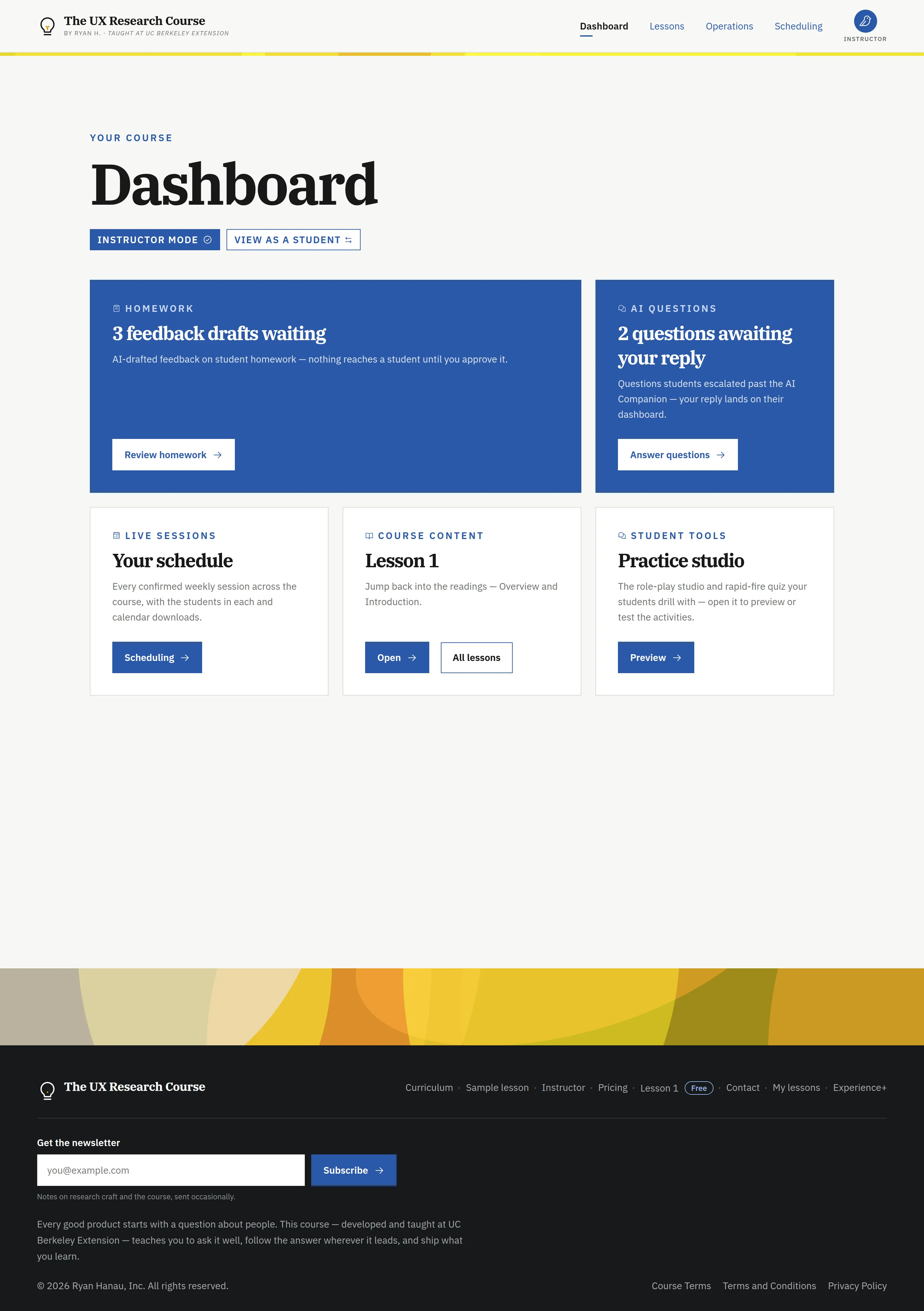
The AI Companion is live on every lesson page. It answers only from the ten lessons, cites the lessons each answer draws on, and when a question needs a human it offers "ask the instructor instead" — the escalation lands in the instructor's AI Questions queue, and the reply lands back on the student's dashboard.
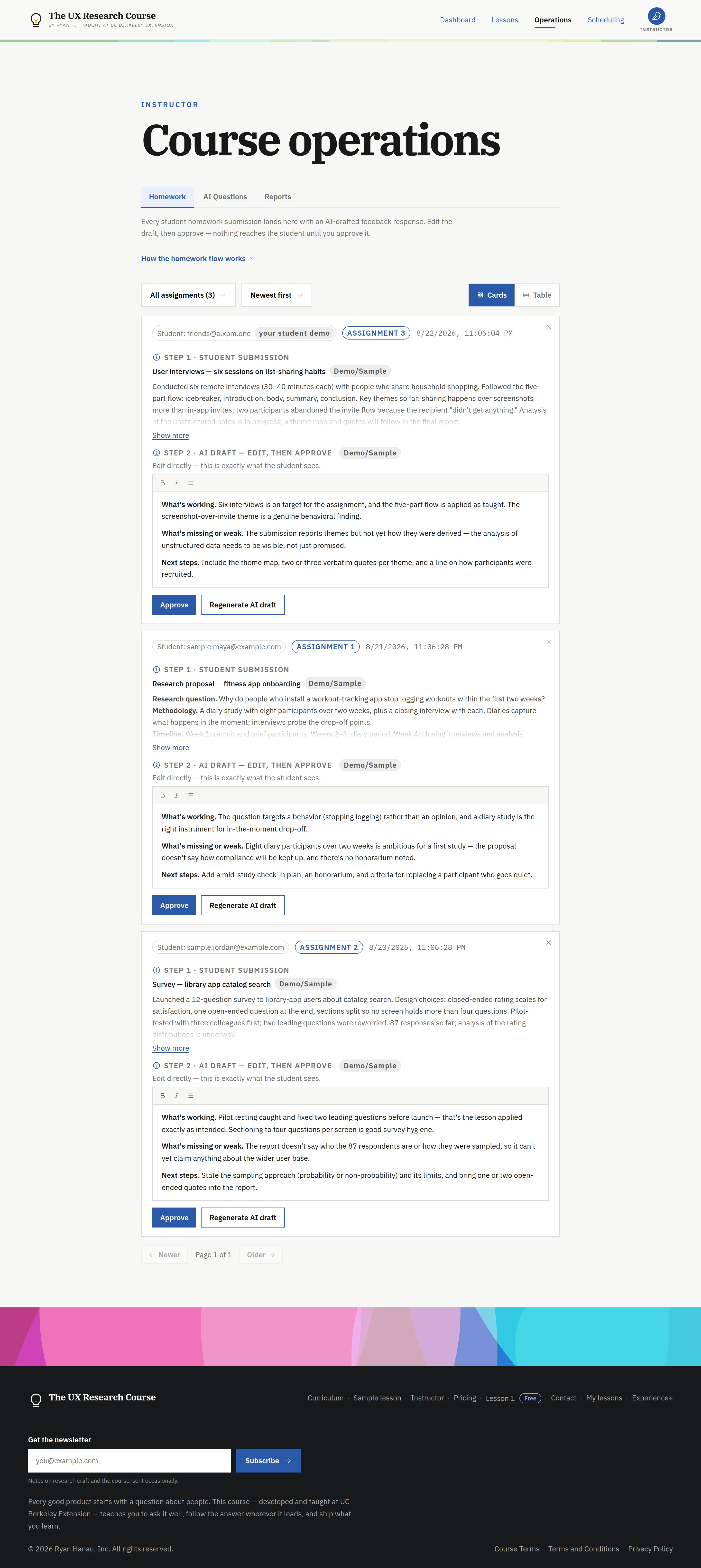
Course operations is the instructor's side of the promise. Every homework submission gets an AI-drafted feedback pass; the instructor edits the draft in place — a rich-text surface showing exactly what the student will see — and nothing is sent until it's approved. The same pipeline covers the capstone, where the review bar matters most. Prep briefs and a weekly activity digest are drafted on demand in a reports hub, for the instructor only.
The practice studio ships the rehearsal bet: simulated moderation and interviewing participants that push back, hedge, and go quiet — plus a rapid-fire quiz — so a student fails safely before a real recruit's hour is on the line.
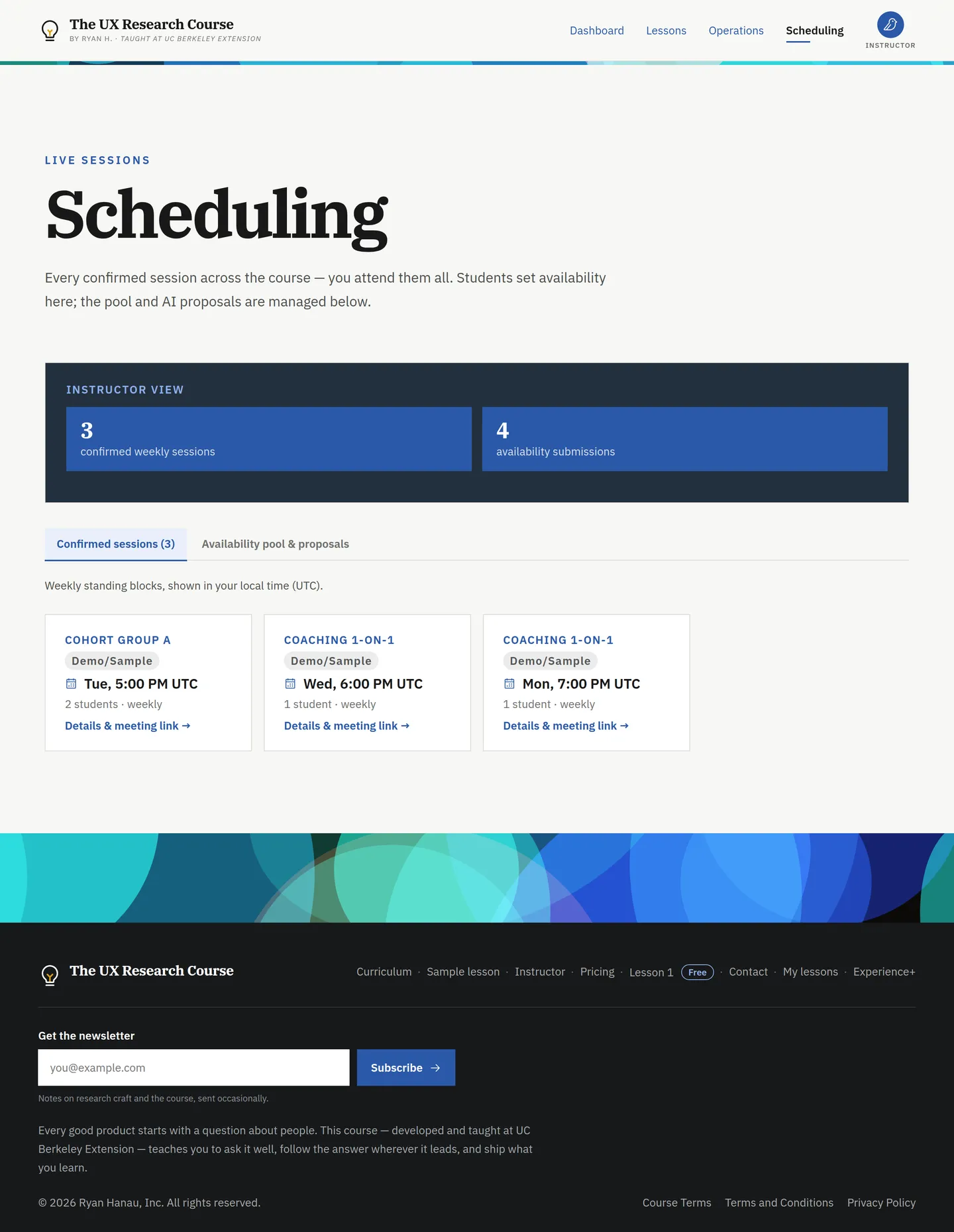
Scheduling starts from student availability, as committed: cohort and coaching students paint the blocks they're free, the AI proposes session times and groupings, and the instructor confirms. Confirmed sessions carry auto-generated meeting links and calendar downloads.
Shipped is the start of measurement, not the end of it. The roadmap's evidence gates — answer accuracy judged by the instructor, edit time on drafted feedback, scheduling back-and-forth — are still how each piece gets judged, and the tripwires below remain armed: any of them firing rolls its feature back.
One-Person Scale
The course is a one-person school, and the AI automation is what lets one person run it at scale. Six systems carry the operational load — five Claude-powered Supabase Edge Functions plus an AI content pipeline — each automating the drafting while a human gate decides what actually reaches a student.
The product also teaches with the same methods it was built on: the simulated participants are AI-enabled research tooling — the studio's own AI-in-the-loop research practice, productized as pedagogy. The flywheel and the roadmap below are the plan these systems shipped from, gates and tripwires still armed.
Conclusion
The UX Research Course turns a decade of studio and classroom experience into a product a designer or PM can work through on their own schedule, with a free first lesson to prove the curriculum before anyone pays. It's also this portfolio's clearest before-and-after: the AI learning layer was planned in public as a gated roadmap, then built as planned — companion, reviewed feedback, practice studio, and scheduling all live today, with the plan's own gates and tripwires still deciding what each one has earned.